
Innovation
How to Vibe Code an Android App

Does the world need another Android app?
That depends on what you build. For anyone thinking of designing and building an app, there are still niche audiences out there that might need exactly what you’re planning to make and release.
Fortunately, it’s never been easier to make an Android app using tools like Google Gemini and Base44. The best part? You can design and build the app right on your Android phone, with absolutely no coding skills required. Here’s how.
1. Come up with an idea
This might be the hardest step of all, considering there are an estimated 2.3 million apps in the Google Play store. Pick one that has too much competition, and you might find no one is interested in downloading and using it. But find an idea that resonates with an audience, and it could go viral.
I started by thinking about a task I find frustrating: buying a new car. I’m in the market for a vehicle that can do some light off-roading but isn’t that expensive. I decided to frame out an idea for an Android app that lets me take notes “on the fly” while I am test-driving cars. Turns out there are many car-buying apps, but most of them let you search for the car, not take notes.
Google Gemini was very useful when thinking of ideas
John Brandon / Foundry
I used Google Gemini to flesh out some ideas using this prompt: “What are some ideas for an Android app to help me take notes on buying a new car? I want to note the mileage, make and model, and any findings.”
At first, Gemini made some technical suggestions about using a markdown language (e.g., apps that strip out all formatting and can be used for coding), but I wanted to skip those steps. I clarified that I just wanted app ideas, and that worked.
Gemini got me thinking about the scope of the app and how to make it useful and simple. Armed with this info, I jumped into vibe coding.
2. Make the Android app using an AI app builder
As we all know, the AI landscape is exploding, and we’re all becoming “prompt engineers” in our spare time. There are countless AI apps, and some of them are more technical than others.
I tested out an AI app builder called Replit and quickly realised it wasn’t a good fit for me. For one thing, to actually generate the app for the Google Play Store, I would need to know some coding.
it’s never been easier to make an Android app
I chose Base44 instead because it’s even easier to use. And, most importantly, you can generate the Android app using a site called AppMyWeb with no fuss.
After setting up my Base44 account, I typed in a simple prompt: “Build an app that lets you take notes about cars I am considering buying for Android.”
I thought the builder would ask me follow-up questions or force me to learn more about coding. Instead, it simply started to create the app, including the interface and even suggesting the name (CarVault).
I noticed Base44 seemed to read my mind and mirrored the Gemini suggestions. I was also impressed by how quickly Base44 worked, but even more impressed that I didn’t have to do any work.
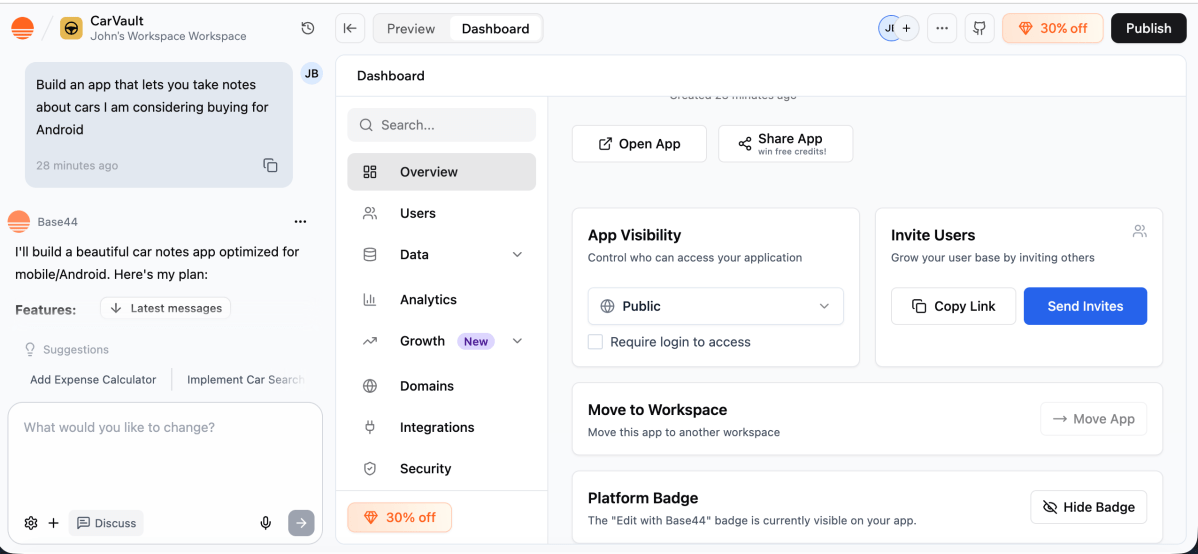
Base44’s simple UI makes it very easy to use
John Brandon / Foundry
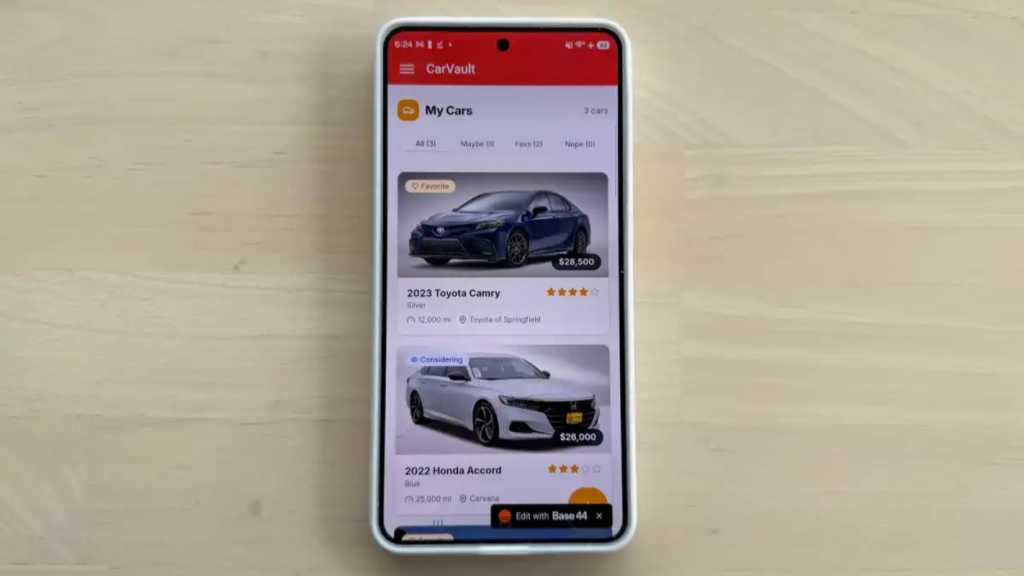
After about 10 minutes, Base44 showed me the results, and I was blown away. I had a fully functional app that let me add a photo, jot down the colour and mileage, and add testing notes for each car.
Normally, you could then ask Base44 to tweak the design and add more features, but I was happy with the results. I published the web-based app for testing using one click. The entire process took 15 minutes. You can see the finished web-based app here.
3. Test out the web version of your app
Before making the Android app, it’s important to test out the features and make sure everything works.
I decided to do this using the web-based app because I knew the mobile app would function in basically the same way. I added more cars that I’m testing, filled out more of the fields with notes and added photos.

John Brandon / Foundry
Everything worked perfectly, but if there had been a bug, I could have gone back to Base44 to make fixes. For example, let’s say the photo upload feature didn’t work. I could have typed: “The photo upload feature doesn’t work. Can you fix that?” Base44 would then run internal checks to help resolve it for me. It’s amazing.
4. Launch the app
Of course, I wanted an Android app to use on my phone, not a web-based app. I wasn’t as interested in releasing the app to the public, either, since I mainly wanted to use it for my own car buying research.
However, any Android user can sign up for a Google Play Store developer account and release an app of their own. The catch is that there is a one-time $25 (approx. £20) activation fee.
After about 10 minutes, Base44 showed me the results, and I was blown away
Instead of launching the app publicly, I decided to sideload the app on a Samsung Galaxy S26, running it locally instead of adding it to the Google Play Store.
First, I had to turn my web app into a mobile app. Fortunately, that’s also easy.
I used AppMyWeb, which charges $39 (approx £29) per month for a subscription, but Median.co is a good free alternative if (like me) you don’t want to launch the app publicly.
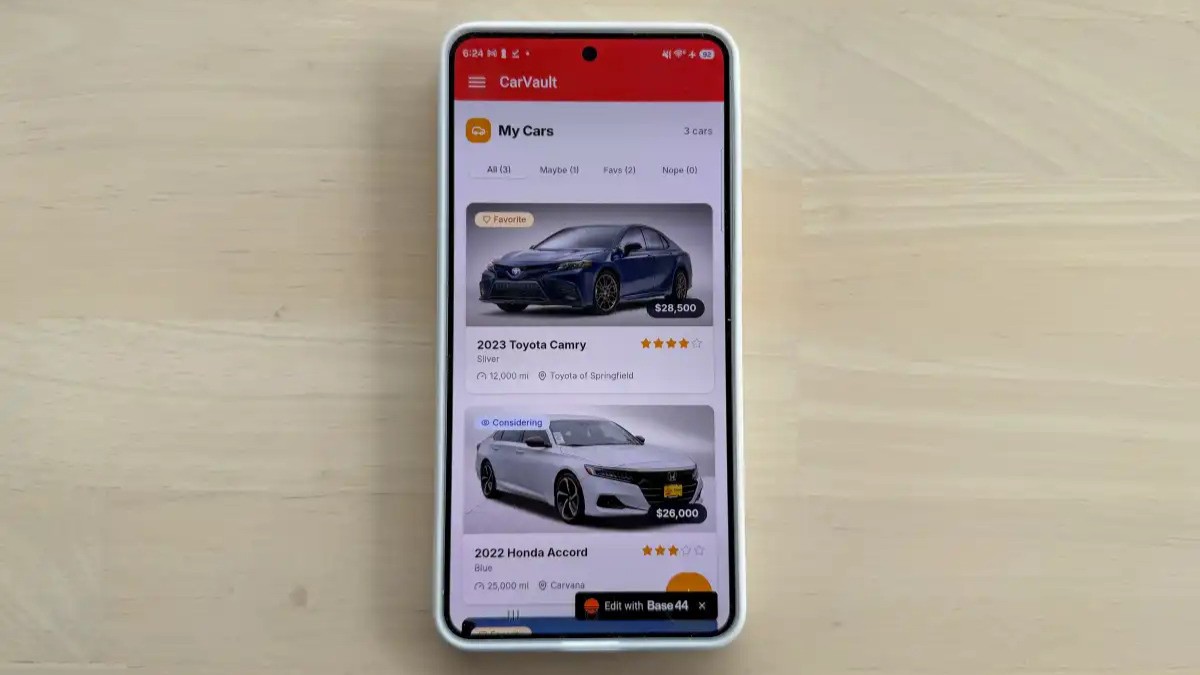
CarVault looks just like any other Android app
John Brandon / Foundry
On AppMyWeb, the process is quick and easy. I named the app, added a link to the Base44 web-based app, and chose a version number.
Before generating, AppMyWeb requires an app “signature” that helps people identify the developer. I created one using my name, and it was straightforward and quick.
I then generated the Android app and downloaded the APK file, but there was one more step. To load an APK on any Android phone, you have to grant permission to load unknown apps.
On a phone like the Galaxy S26, under Settings, just select Apps. Go to the three-dot menu and select Special access, then select Install unknown apps. Enable Google Drive and My Files, which is where you can load the APK file. On the phone, download the app or access it through Google Drive and then install the app.
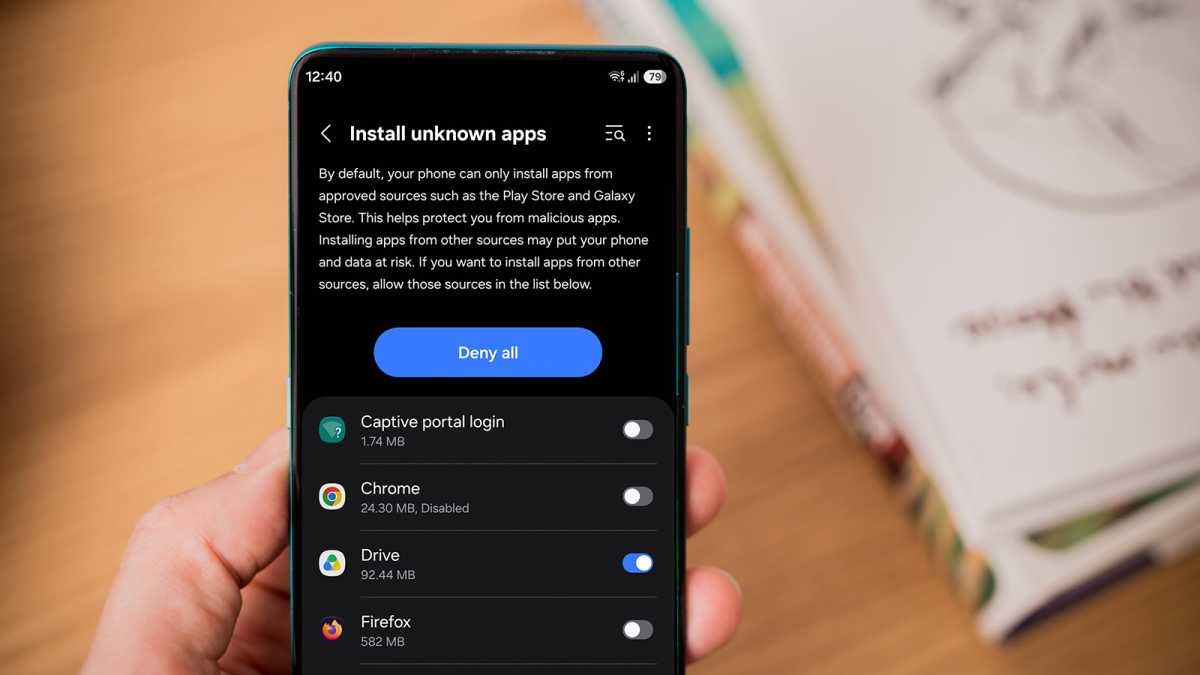
Foundry
That’s it! I had a fully functional Android app, and it only took 15 minutes to make. Now, back to actually deciding which car I want to buy.



Traders are skeptical of Iran timeline for Strait of Hormuz reopening

Up to 4.01% APY return

generate a new title from Exploring the Benefits of AI Bots for Forex Trading in Forex Markets

generate a new title from Anthropic launches Cowork, a Claude Desktop agent that works in your files — no coding required

generate a new title from Google folds Display Ads into AI-first Demand Gen platform

generate a new title from Salesforce rolls out new Slackbot AI agent as it battles

generate a new title from NBA plans AI system for automatic out-of-bounds calls

generate a new title from Listen Labs raises $69M after viral billboard hiring stunt to scale AI customer interviews
generate a new title from Salesforce rolls out new Slackbot AI agent as it battles
Traders are skeptical of Iran timeline for Strait of Hormuz reopening

generate a new title from Google just redesigned the search box for the first time in 25 years
generate a new title from Anthropic launches Cowork, a Claude Desktop agent that works in your files — no coding required

The attack dominating financial services doesn't steal passwords. It resets MFA and steals the token.

GitHub confirms 3,800 internal repos stolen through poisoned VS Code extension as supply chain worm hits Microsoft’s Python SDK

generate a new title from Railway secures $100 million to challenge AWS with AI-native cloud infrastructure

What Your Body Really Needs
-
 AI1 day ago
generate a new title from Salesforce rolls out new Slackbot AI agent as it battles
-
 Finance1 day ago
Traders are skeptical of Iran timeline for Strait of Hormuz reopening
-
 AI1 day ago
generate a new title from Anthropic launches Cowork, a Claude Desktop agent that works in your files — no coding required
-
 Investments1 day ago
generate a new title from Google just redesigned the search box for the first time in 25 years
-
 Tech1 day ago
The attack dominating financial services doesn't steal passwords. It resets MFA and steals the token.
-
 Tech1 day ago
GitHub confirms 3,800 internal repos stolen through poisoned VS Code extension as supply chain worm hits Microsoft’s Python SDK
-
 AI1 day ago
generate a new title from NBA plans AI system for automatic out-of-bounds calls
-

 Investments1 day ago
Paramount Skydance meets with DOJ about Warner Brothers deal, allows critics to listen in on talks: sources
